Why does quality content drive a website's success? ⚡
When it comes to building a website, attention is most often focused on design or functionality. In practice, however, it is content that determines how useful, informative and effective the site will be.
Photos, descriptions, product specifications and a well-thought-out catalog structure help the user understand the offer faster and make the final decision. The better the information is organized, the easier it is for visitors to navigate the site and find the product they need.
Good content not only improves SEO and the site's visibility, but also builds brand loyalty by answering users' questions. That is why quality content is not just a stage of launching a website, but the foundation of its long-term effectiveness.
1. Quality of visual content
Photos and graphic materials play an important role in how products or services are perceived. Visual content helps shape the first impression and lets the user assess the offer faster.
The main characteristics of quality visual content are:
- clear and detailed images
- several angles of the product
- a unified photo style
- image optimization for fast page loading
👉 Good images increase trust in the site and help the user understand the product better without needing to search for additional information.

2. Informative descriptions
Textual information complements visual content and highlights the key features of the offer. Descriptions should be clear, structured and contain the information needed to make a decision.
A quality description usually includes:
- a brief presentation of the product
- the main specifications
- specific functional features
- additional information useful for the user
👉 This structure makes the product page informative and helps the user understand the offer faster.
3. Product specifications and parameters
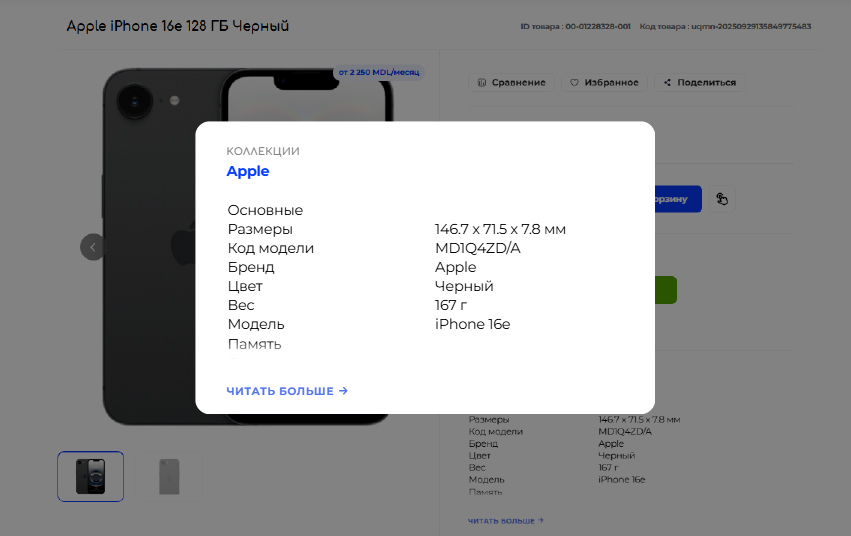
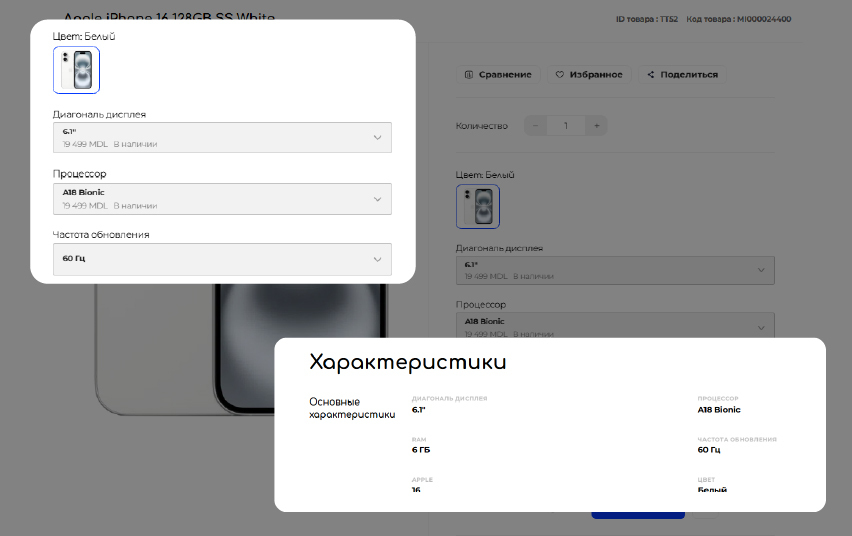
Specifications are an important part of the content structure, especially for sites with a large assortment. They make it possible to organize product information and ensure that filters and search work correctly.
Correctly filled-in parameters help to:
- create convenient filters
- improve catalog navigation
- simplify product comparison
- increase search accuracy
👉 The more structured the product information, the easier it is for the user to work with the catalog.
4. Filters and catalog navigation
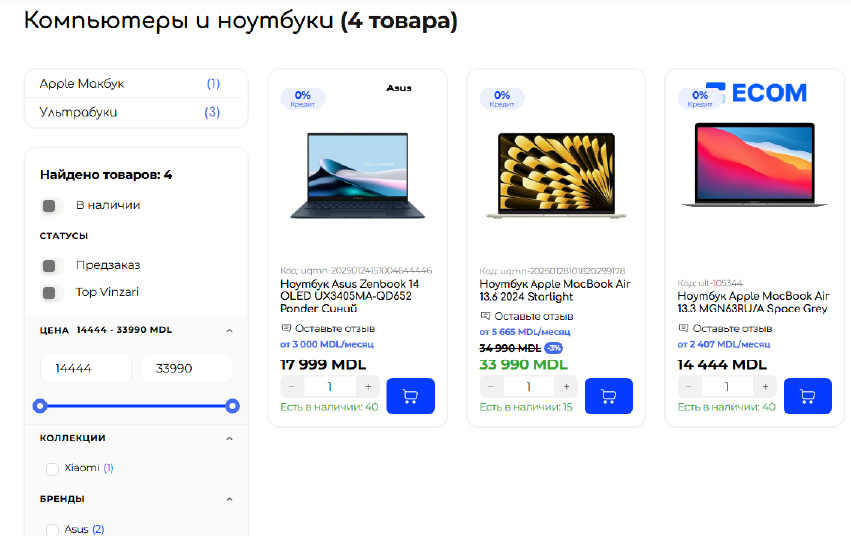
Filters help users quickly find the products they need among a large number of offers. They are built on the basis of the specifications and parameters that are filled in when content is added.
A well-thought-out filtering system makes it possible to:
- reduce the time spent searching for a product ⏳
- simplify catalog navigation 🧭
- improve the user experience ⭐
- increase the likelihood of completing an order 📈
The process of filling a website with content
Creating a quality catalog requires consistent and organized work.
The process of filling a website usually includes several stages:
- preparing images
- adding product descriptions
- filling in specifications and parameters
- distributing products across categories
- configuring filters and the catalog structure
- regularly updating information
👉 This approach keeps the catalog up to date and provides convenient navigation for users.
ECOM: a convenient ecosystem for managing content
To work effectively with a large number of products, it is important to have convenient tools for managing content. The ECOM platform provides functionality that makes it possible to work systematically with the catalog and keep it up to date.
The system's functionality allows you to work with content quickly and systematically, even with a large assortment.
Key ECOM capabilities for working with content:
Easy management of product pages ✅ Create and edit product pages with an intuitive interface for adding information, specifications and media files.
Flexible work with specifications ⚙ Configure product parameters and specifications that form the catalog structure and are used for filtering and search.
Uploading and managing images 🖼 Add product photos, build galleries and easily manage visual content.
Creating categories and the catalog structure ➕ Build a logical structure of categories and subcategories that makes site navigation more convenient.
Configuring filters 🔍 Build filters based on product specifications, allowing users to quickly find the items they need.
Centralized content management ⭐ All product data, descriptions, images and parameters are managed in a single system, which simplifies control and updating of information.
👉 Thanks to these capabilities, ECOM turns working with content into a clear and manageable process, allowing you to keep the catalog structured and up to date even as the assortment constantly expands.
CONCLUSION
Quality photos, vivid descriptions and properly structured specifications make a site convenient, clear and attractive to users. Every product becomes visible, and finding the right solution takes seconds — this builds trust and speeds up decision-making.
With ECOM, filling a website with content becomes an easy and systematic process: product pages, images and filters are updated quickly, and all information stays organized and up to date. Your catalog works for you, eases the team's workload and helps grow the business without unnecessary routine.