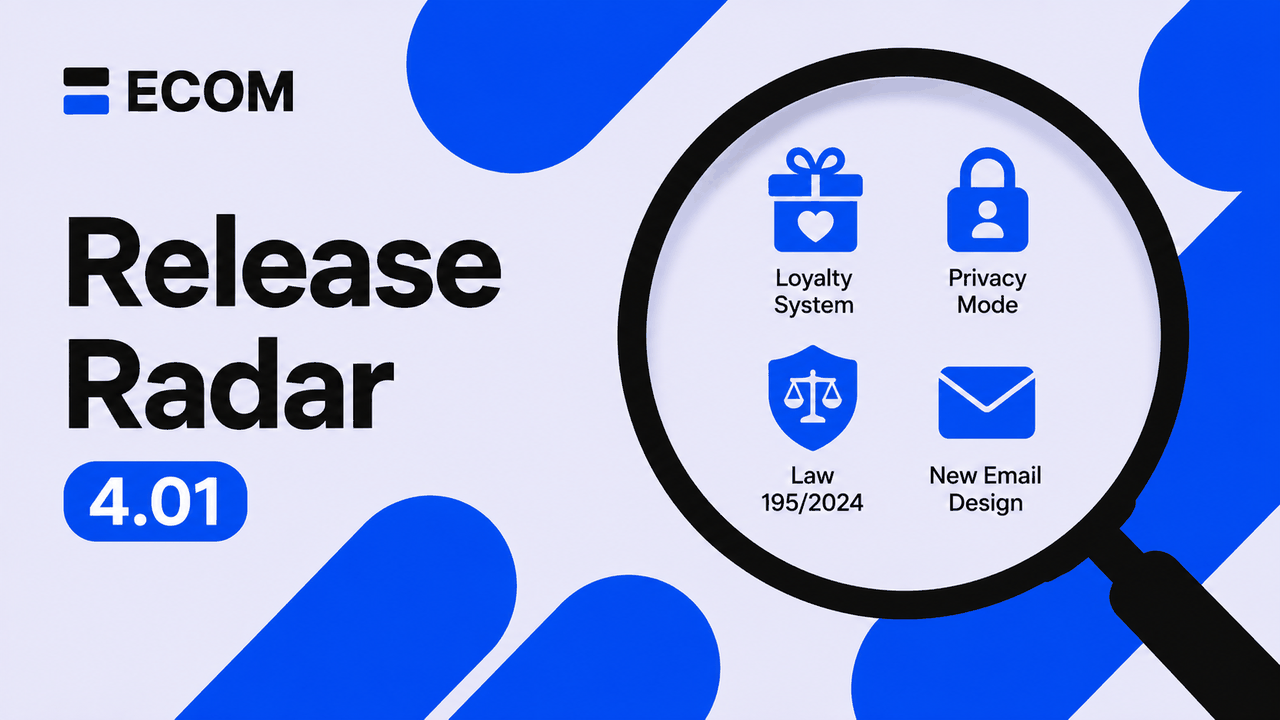
🚀 July 2026: the biggest platform update of this summer!
💻 ECOM SHOP
Over the course of July we shipped 18 major improvements — not counting the dozens of smaller fixes and tweaks that go out in the background every week. From the loyalty system to getting ready for the new personal data protection law. Here is everything that matters in one place: what is ready and how to enable it on your site.
🎁 1. Loyalty system — now built into ECOM
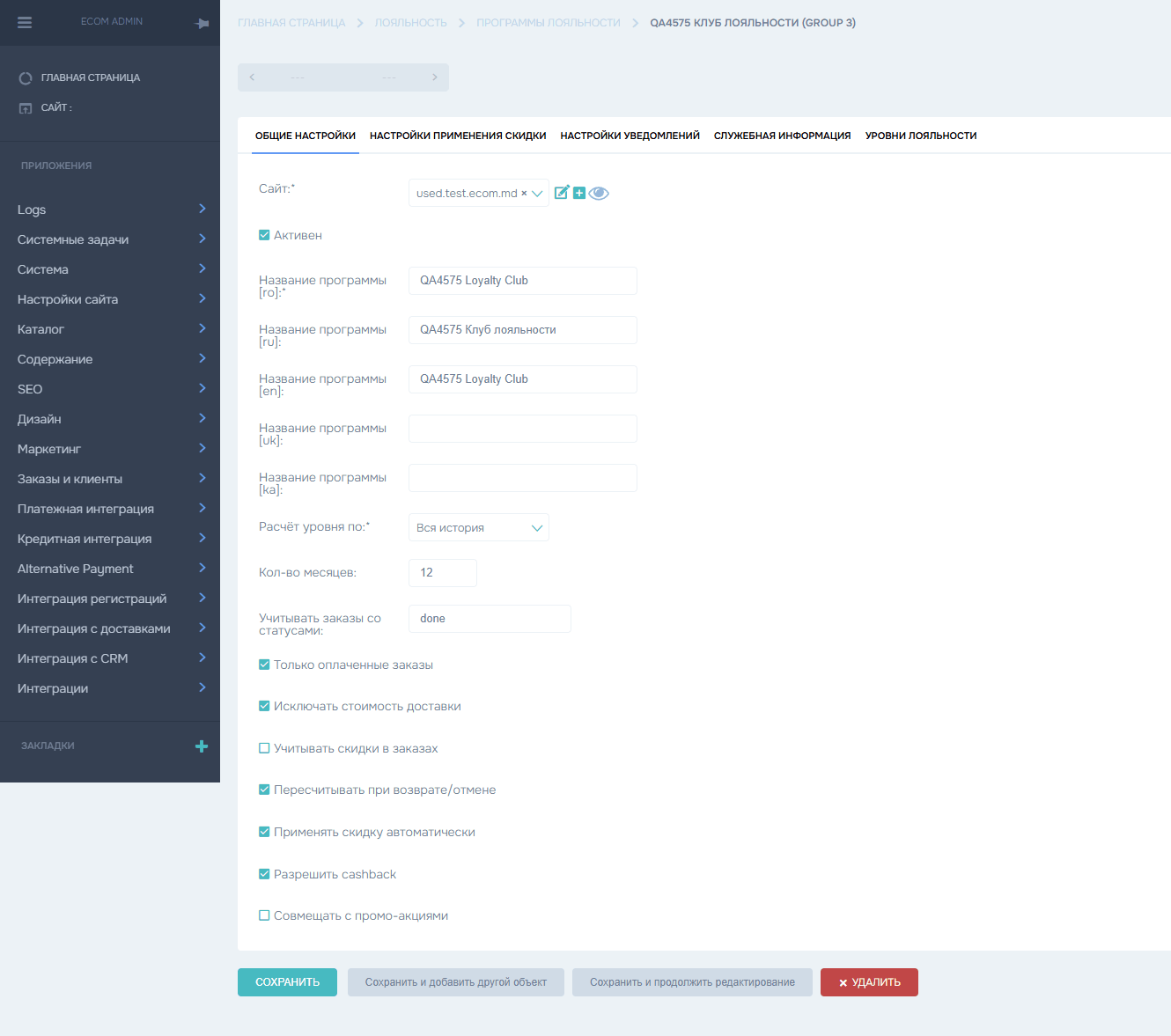
No more third-party services: the loyalty program lives inside the platform. Create tiers — Glow, Silver, Gold, Platinum, Diamond, for example — and set an order-total threshold, a discount percentage and cashback for each one. A customer gets their tier automatically as soon as they reach the required amount.
⚙️ How do you set it up? In the admin panel — the "Loyalty" section → "Loyalty programs". Choose which order statuses count towards the total, whether shipping is excluded, whether the discount applies automatically and whether cashback is allowed. The tier is recalculated on its own when an order is returned or cancelled.
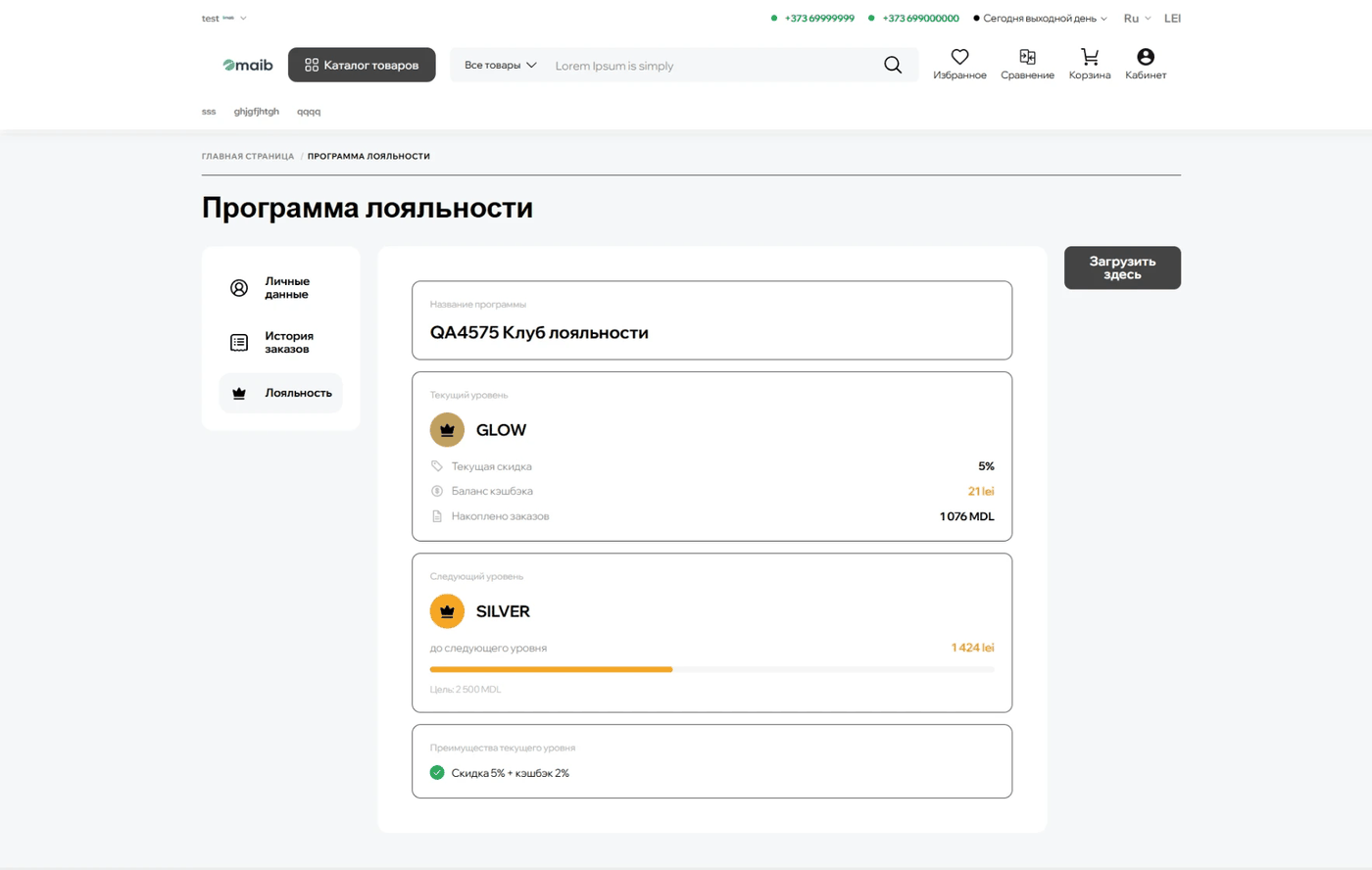
👤 The customer sees their status in their account: current tier, discount size, cashback balance and how much is left to reach the next tier.
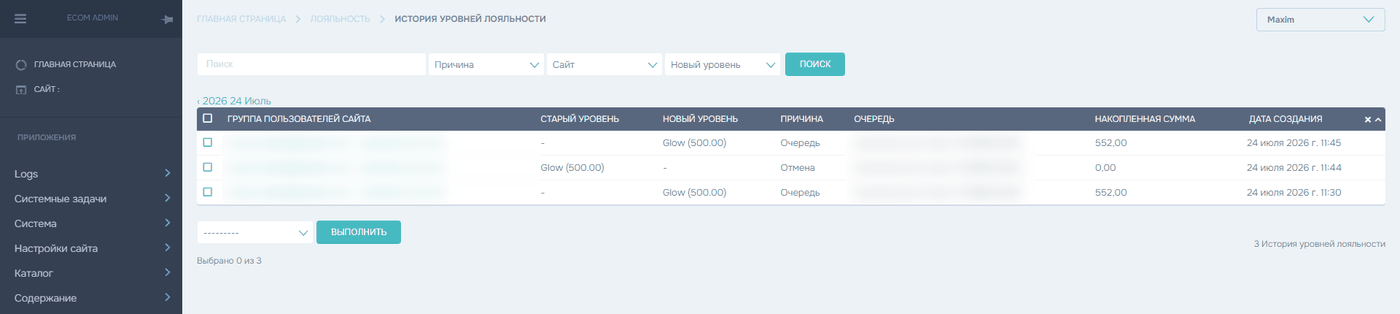
📊 Every tier change is kept in a history log: you can see who moved to a new tier and when, for what reason, and how much they had accumulated at that point. The log can be filtered by site, reason and new tier.
🏷️ 2. Next-generation promotions
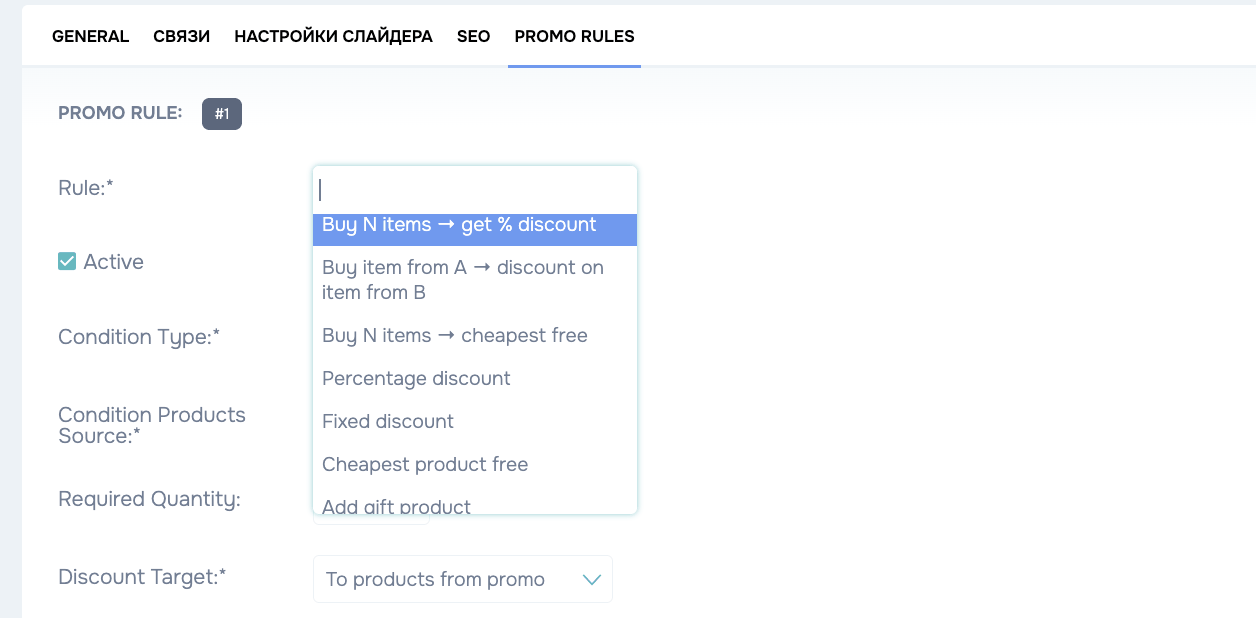
Promotions can now do considerably more. Promo rules got a condition type — product quantity, product total or cart total — and an action: percentage discount, fixed discount or a gift product.
For example: "20% off Flormar products from 500 lei" or "third item free". The scope is still defined on the "Relations" tab — brands, categories or specific products.
🎨 We also refreshed the promotion card itself: it now shows the promotion period and how many days are left. Expired promotions are marked separately, and open-ended ones as "Promotion with no end date".
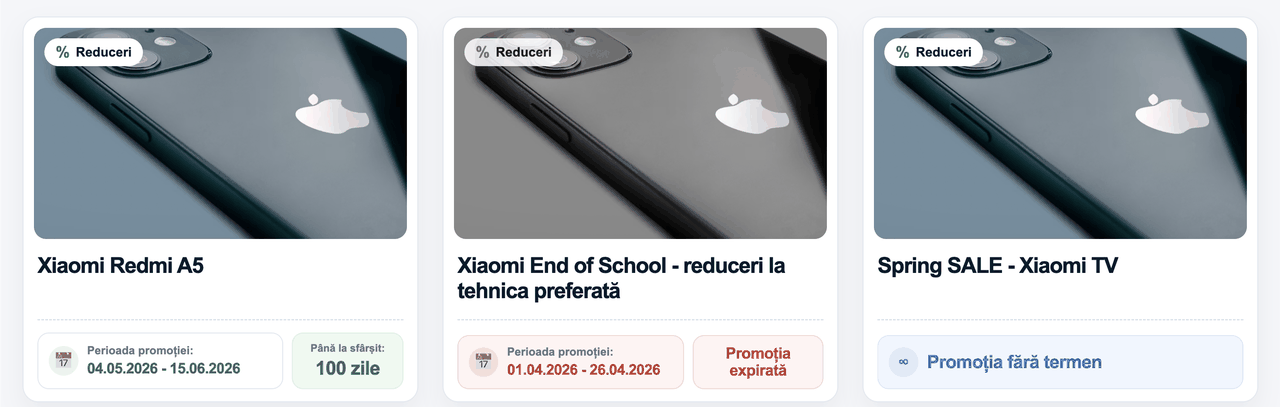
⚙️ How do you switch it on? Global settings → Block types → "Promotion display type" → Type 3.
🧭 3. Mega menu — the new catalogue menu
For stores with a large catalogue we built a new menu format. Main categories stay on the left; on the right there are subcategory cards with images — up to five per row, the rest scroll with an arrow, and a "See all" button leads to the category page.
Below the cards there are link groups: price, manufacturer, material, purpose. These are ready-made selections and filtered listings that you configure yourself. Noticeably more fits above the fold, and the menu looks cleaner.
🔎 4. Smarter filters
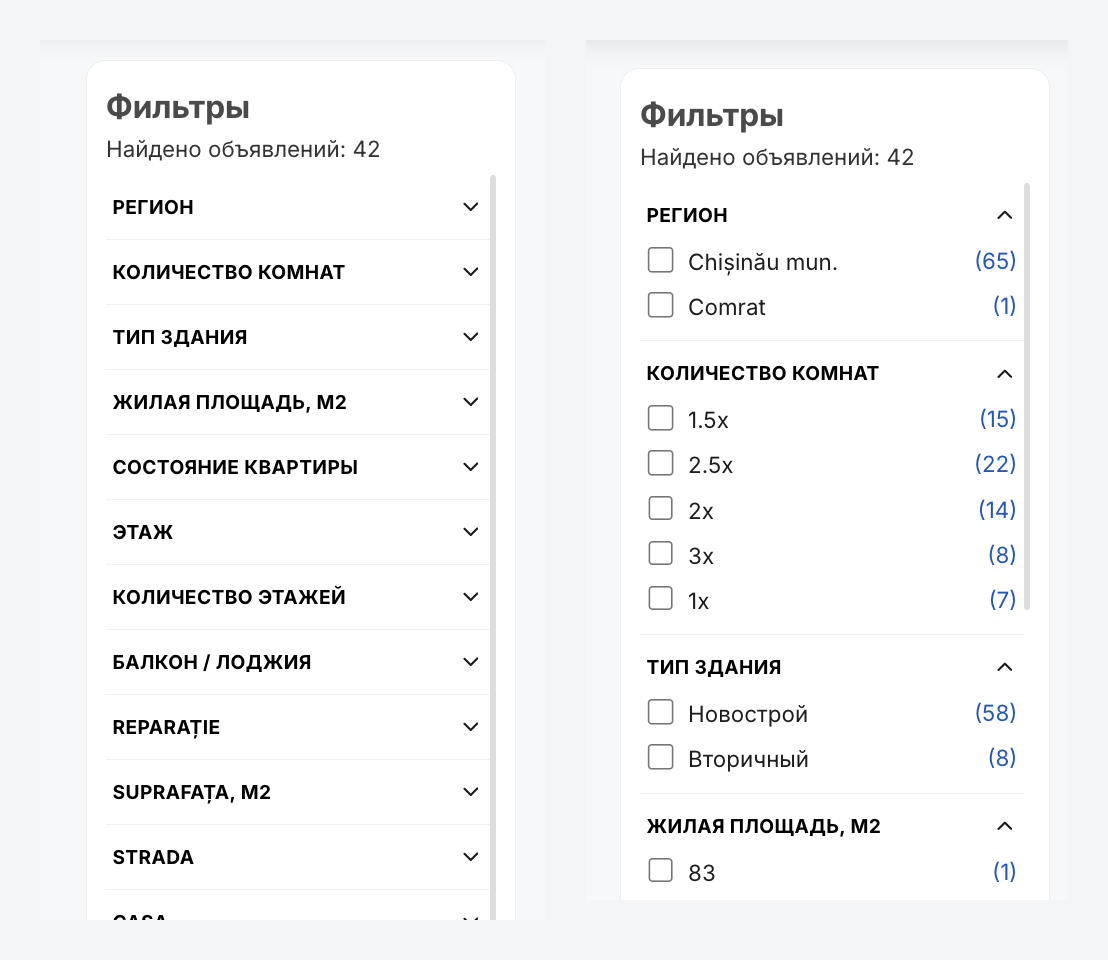
You can now choose a filter style: "Open" shows all values at once, "Closed" shows only the attribute names and expands the values on click. For catalogues with dozens of attributes, the second option saves the shopper whole screens of scrolling.
⚙️ Where to enable it: Global settings → Block types → "Filter style". It works in every theme.
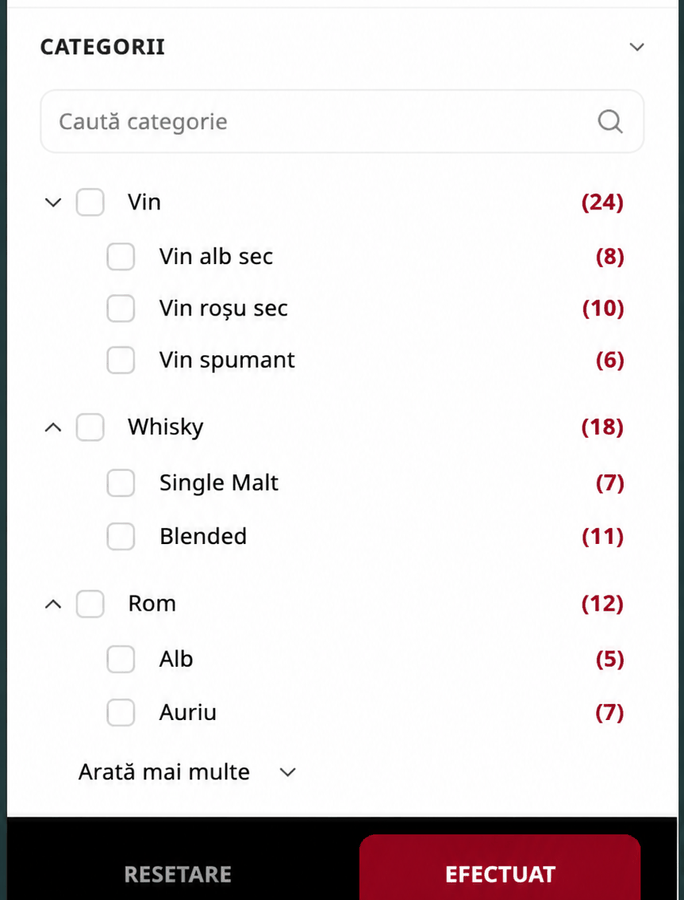
🌳 The "Categories" filter on brand, sale, new-arrivals and search pages is now a tree. Subcategories with identical names used to appear in one flat list, and it was impossible to tell which section each belonged to.
Now the top-level categories come first and subcategories expand inside them. Pick a parent and you get the products of the whole branch; pick a child and you get only its own.
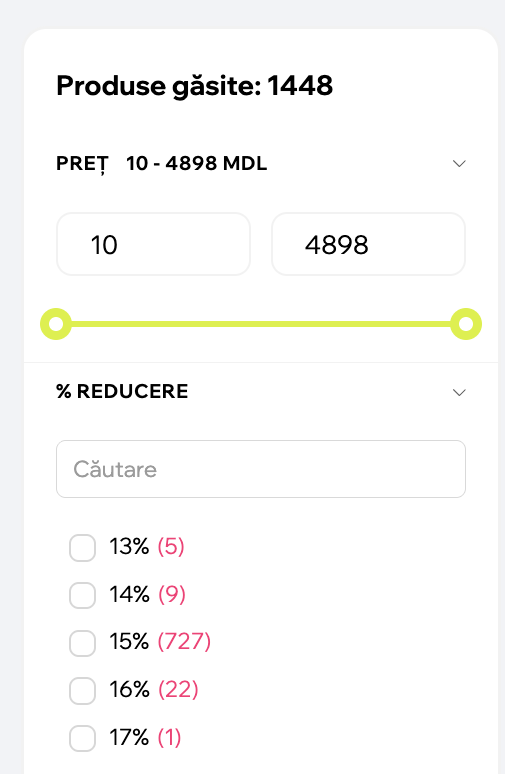
💯 And on the promo/sale page you can switch on a separate "% discount" filter, so shoppers can pick products by discount size right away. The values are collected automatically: the list only shows percentages that active products actually have, with the product count next to each one.
⚙️ Enable it in the admin panel: Statuses → Sale → "% discount in filter".
🛒 5. Cart and checkout
The cart can now show the attribute a product variant was chosen by: "Colour: 01 Jet Black", "Volume: 200 ml", "Size: L". Shoppers no longer have to go back to the product page to check what exactly they added. Enable it in the cart settings.
🏢 Checkout for companies is noticeably shorter: only the phone number and the company selection stay mandatory. Branch, city and the remaining address fields are now optional — a B2B customer's company is already in the system, so there is no point filling everything in again.
🔗 One more thing: the "Go to the product group instead of the cart" setting now works for every group — whether or not "Show products separately" is enabled.
📊 6. Fast price and stock updates via Excel
Changing a price or a stock level used to mean exporting the full product Excel file with every field in it. Now there is a separate, lightweight parser: the "Products" section has a new bulk action, "Download Excel price + stock".
The file contains only what you need: ID, code, name, old price, new price and stock. Columns are also added automatically for every customer type set up on your site — "Price: Cat. A" and "Price: Cat. B", for instance. Fill it in, upload it back, done. The full product import keeps working exactly as before.
✉️ 7. A new email design
Order and registration emails got a new template: tidy, responsive, and rendering correctly on mobile as well as in the dark theme of Gmail, Apple Mail and Outlook.
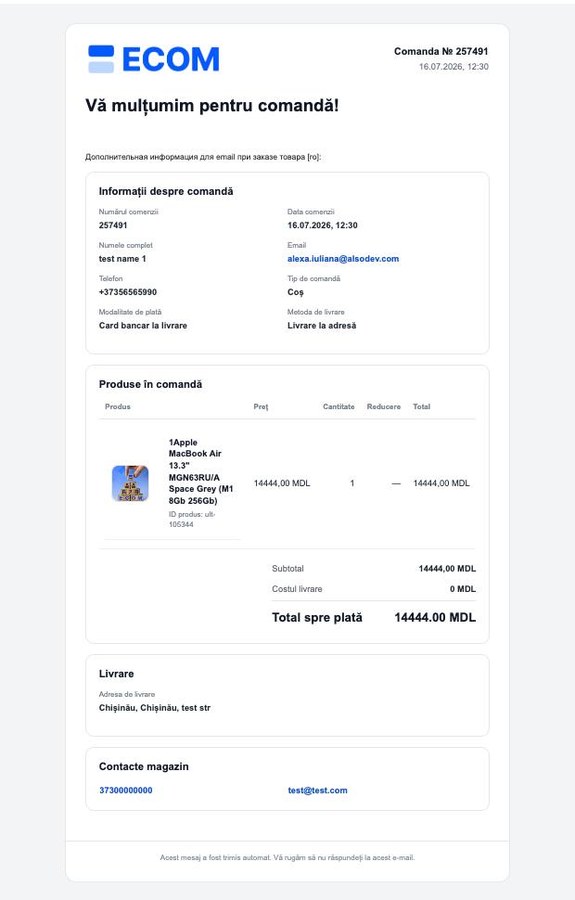
The email shows what matters right away: order number and date, customer contacts, payment and delivery method, the ordered items with product images, discounts and the total, the delivery address and the store's contacts.
⚙️ How do you switch? Global settings → Email settings → "Order email type". Everyone stays on "Type 1", the current template, by default, so nothing changes on its own. You turn the new design on manually when you are ready.
🔒 8. Privacy Mode and Law no. 195/2024
On 23 August 2026 Moldova's Law no. 195/2024 on personal data protection comes into force, bringing local regulation in line with the European GDPR. We prepared the platform ahead of time.
Global settings now include Privacy Mode. When it is on, the site shows a cookie banner with equally weighted "Accept all" and "Reject all" buttons, a detailed settings window by category — necessary, analytics, marketing — and optional scripts only start after consent.
📄 There is also a dedicated Cookie Policy page — linked from the footer and from the banner, with a "Cookie settings" button that lets visitors change or withdraw consent at any time. The page content is editable in the admin panel in every site language.
✅ And every form where a visitor leaves personal data — registration, buy in one click, pre-order, credit, feedback, reviews and others — now follows one standard: a link to the privacy policy, plus separate checkboxes, unticked by default, for marketing messages and for sharing data with third parties.
🔍 9. Image alt text is generated automatically
Alt text is now filled in on its own — in the language of the current page and based on the content: the product name for products, the category name for categories, the banner title for banners, and their own names for news items and promotions. Nothing needs to be filled in by hand.
That helps both SEO and accessibility: search engines understand the images better, and screen readers finally read them meaningfully.
📰 10. A refreshed blog page
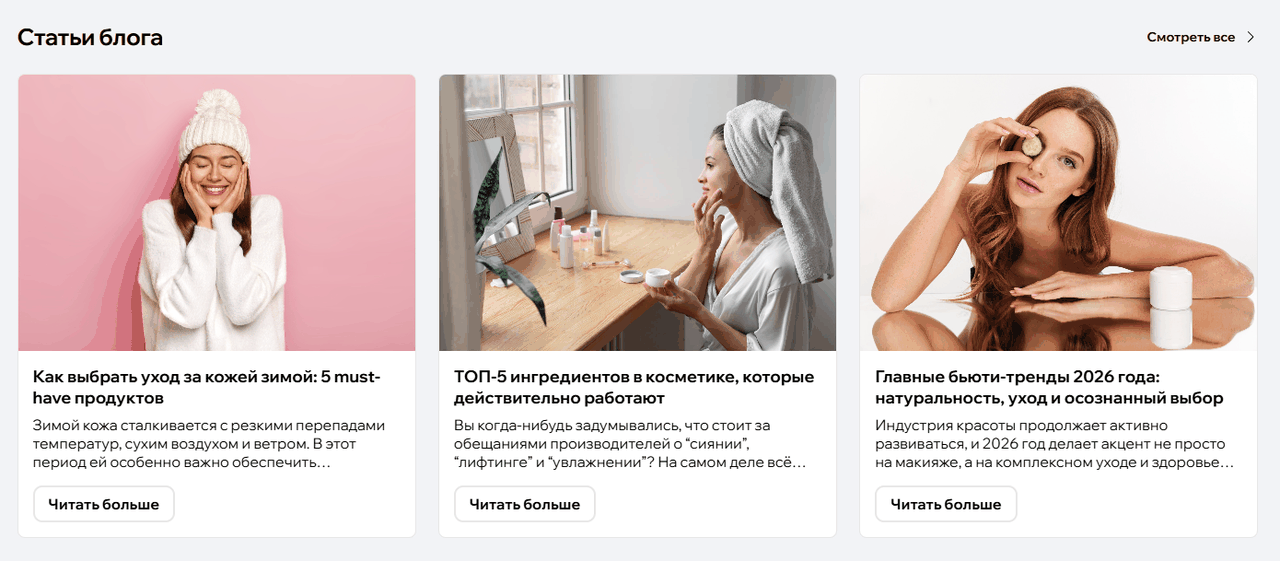
Blog articles are now laid out the same way as on the homepage: three cards per row on desktop and one on mobile, with a vertical structure and a white background under the title. We added pagination — nine articles per page — and the "Recommended articles" block inside an article now looks the same.